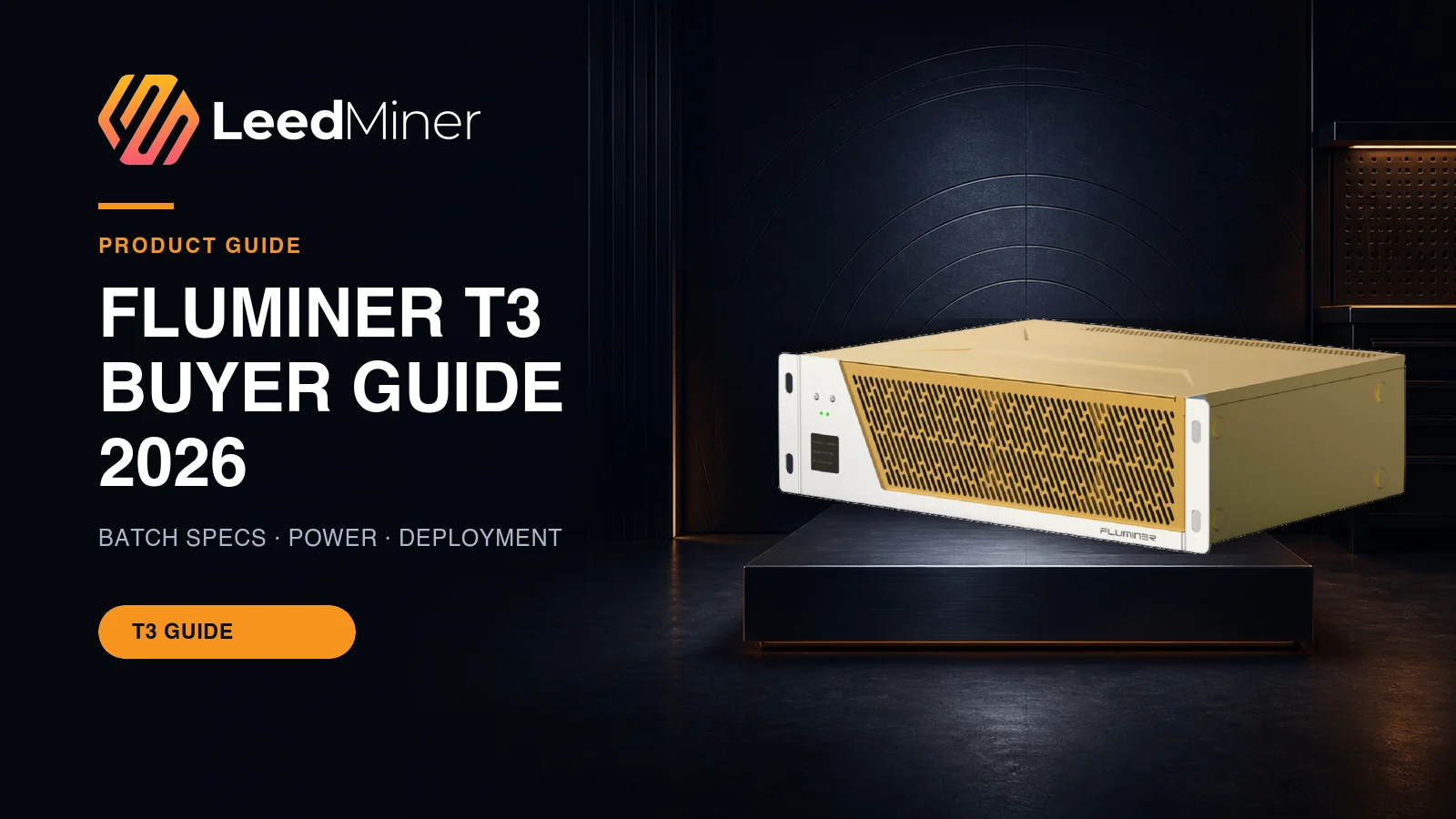
The FLUMINER T3 is a compact SHA-256 miner aimed at home and small-site Bitcoin deployments, but buyers must verify the exact batch before comparing specifications. FLUMINER’s current product page and its February 2026 manual show different nominal profiles, while LeedMiner currently publishes separate 110 TH/s and 115 TH/s catalog entries. That is not a reason to guess. It is a reason to match the order, rating label, firmware, power input, and product slug before planning a circuit or deployment.
Key takeaways
- Confirm the exact T3 batch; family names alone do not establish hashrate or watts.
- The LeedMiner 115 TH/s entry lists 1,700 W and 14.78 J/TH with approved product media.
- Home-friendly noise claims still require a heat, circuit, ventilation, and neighbor-impact review.
- Commission with measured wall power, pool-side hashrate, temperature and a documented baseline.
Which FLUMINER T3 specification should you use?
The current FLUMINER T3 page describes an in-production SHA-256 unit at 105 TH/s ±5% and 1,650 W ±10%. FLUMINER’s February 2026 T3 manual describes a 115 TH/s ±5% profile at 1,700 W ±10%, with Ethernet and Wi-Fi support. LeedMiner’s current catalog includes 110 TH/s and 115 TH/s entries. These records may reflect batches or configurations; do not average them into a fictional “standard” model.
Use the unit rating label and order confirmation as the primary identity evidence. Match model, batch, nominal hashrate, tolerance, nominal power, input voltage, dimensions, network interfaces, and included power cable. Photograph the label before installation. During commissioning, compare the dashboard hashrate and wall power with the applicable tolerances after the machine reaches a stable operating temperature.
Efficiency should be calculated from the matched numbers. The LeedMiner 115 TH/s record lists 1,700 W, which corresponds to about 14.78 J/TH. The 110 TH/s record lists 1,626 W and the same efficiency class. If a seller quotes another bin, calculate watts divided by TH/s and require a batch-specific document. Do not infer performance from the gold enclosure or a shared product image.
FLUMINER T3 115 TH/s

Air cooling · 1,700 W · 14.78 J/TH · In stock
Is the T3 suitable for a home or small site?
A 1.7 kW continuous load uses about 40.8 kWh per day before any ventilation or air-conditioning energy. That is also roughly 1.7 kW of heat released into the room. Even when a manufacturer describes a miner as quiet, heat still needs a controlled exit path. A bedroom, closet, garage, office, and dedicated equipment room have very different airflow, fire separation, dust, moisture, and noise constraints.
Ask a qualified electrician to confirm the circuit, conductor, receptacle, breaker, grounding, input voltage, and continuous-load headroom. Do not use a household extension cord or an unverified adapter. Inspect plugs and terminals after commissioning for abnormal heat. Keep the intake clear, prevent hot exhaust from recirculating, and provide enough replacement air that the machine does not pull dust or humid outdoor air through uncontrolled gaps.
FLUMINER’s documentation describes a counter-rotating turbine cooling design and a 50–60 dB operating range under stated conditions. Treat that as a test condition, not a universal room result. Reflections, multiple units, fan speed, ambient temperature, and structural vibration change perceived noise. Measure at the intended boundary during a full-load test and plan for nighttime limits.
Network setup should be equally disciplined. Use a separate management VLAN where possible, change default credentials, obtain firmware only from FLUMINER-controlled channels, and record pool-side accepted hashrate. Keep a second pool endpoint for failover. For remote operation or a location without safe heat rejection, compare managed hosting with the full local cost.
How should the T3 be commissioned and maintained?
Commissioning begins before power-on. Photograph the carton, serial number, rating label, connectors, and visible condition. Match the received unit to the order record and the batch specification selected earlier. Check for shipping damage, loose hardware, blocked vents, or contamination. Confirm that the power cable and network interface match the documented installation. If the label conflicts with the order, pause and resolve the identity before energizing the miner.
After the electrical installation is approved, start the miner on a controlled network. Change default credentials, set time and DNS, record the factory firmware version, and add primary and backup pool endpoints. Allow the unit to reach a stable temperature before judging hashrate. During a burn-in period, compare dashboard hashrate with pool-side accepted hashrate, measure wall power, watch fan speed and board temperatures, and inspect the plug and terminals for abnormal heat.
Use the batch tolerance rather than expecting a perfectly flat number every minute. Short-term pool variance and dashboard averaging can create differences. Investigate sustained deviations, repeated board resets, high rejected-share rates, thermal throttling, or fan behavior outside the normal baseline. Save screenshots and timestamps so support can distinguish a machine fault from a pool, network, or site condition.
Maintenance should be evidence-based. Record inlet temperature, accepted hashrate, wall power, fan speed, firmware, and cleaning date for each serial number. Keep intake air clean and dry, prevent exhaust recirculation, and follow the manufacturer’s shutdown procedure before inspection. Do not install third-party firmware without understanding support, warranty, security, and power-limit consequences.
For remote or multi-unit operation, compare local staffing with managed hosting. Confirm remote access, alert escalation, spare parts, repair turnaround, custody, insurance, and the process for authorizing firmware changes. The miner comparison can place the exact T3 batch beside other SHA-256 options, while LeedMiner can review voltage, airflow, and the commissioning plan before delivery.